
What it does
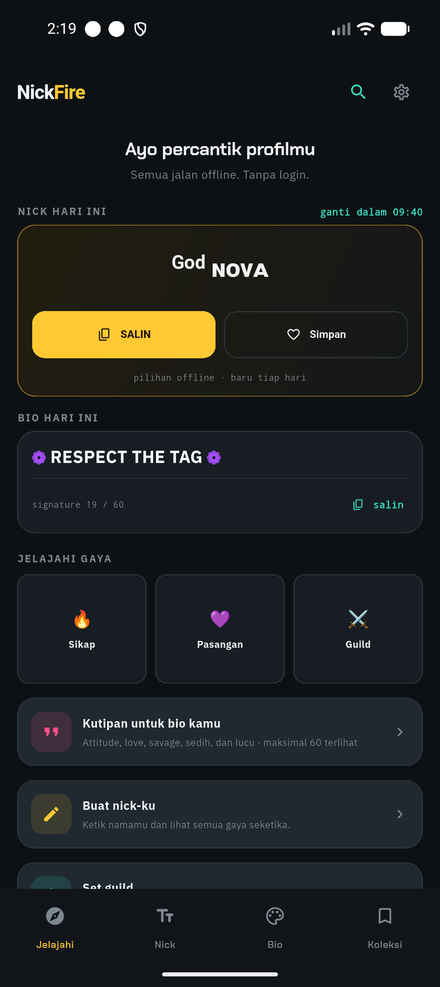
Everything runs on your device. No account, no sign-in, no servers — the app never sends what you type anywhere.
Nick Studio
Type your name and see it instantly in fancy fonts, frames and symbols, ready to copy.
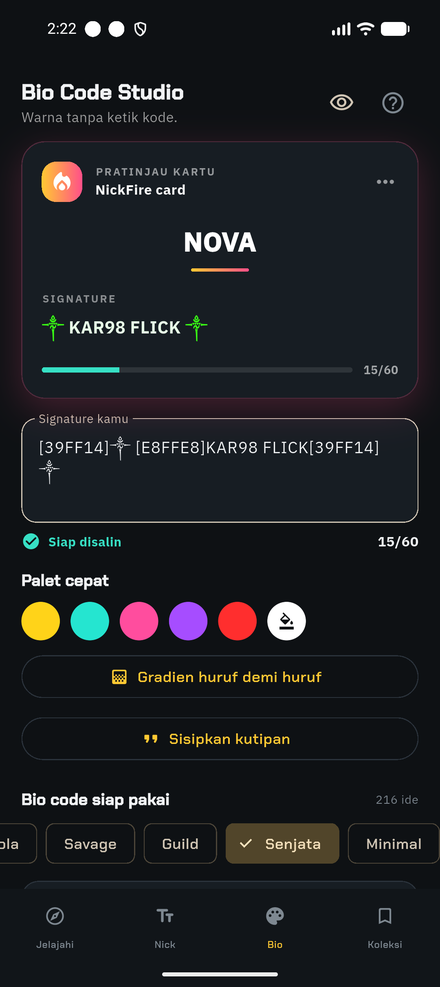
Bio Code Studio
Pick a color, preview it like it looks in-game, and copy the exact signature string — no codes to memorize.
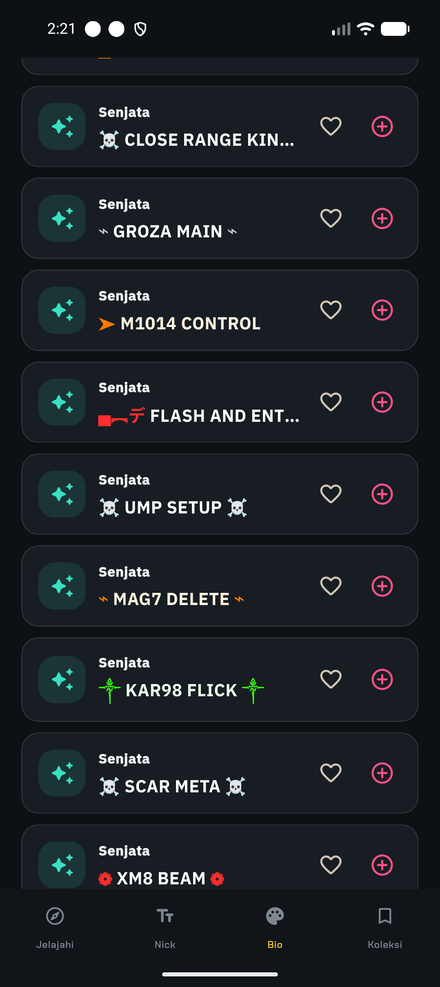
Weapon packs
Gun-barrel frames, crosshair glyphs and gunplay-themed lines for players who only talk in headshots.
100% offline
Works with no connection. The only network use is showing ads (via Google AdMob).
Collections & history
Save favorites, revisit what you copied, and browse curated sets by vibe — legendary, savage, ice cold, duo.
Daily nick & bio
An optional local reminder with a fresh pick each morning. Off by default, turn it off anytime.
A look inside
How it works
NickFire prepares the text. The last step happens inside Free Fire.
- Build a nickname or a bio code and tap Copy.
- Open Free Fire and go to your Profile.
- Paste it into the nickname or Signature field and save.